
AUTOMATION TOOLS / 20 MIN READ
What Are the Best Tools for Growth Marketing Automation?
/ Quick Answer
The best tools depend on the job, and most growing brands need a small stack: Klaviyo or ActiveCampaign for email and SMS lifecycle flows, HubSpot for CRM and lead routing, Zapier or Make to connect everything, GA4 for measurement, and Predoxa as the decision layer that tells you where ad spend and creative effort should go.
The best tools for growth marketing automation depend on the job you need done, and most growing brands need a small stack, not one tool. For email and SMS lifecycle flows, Klaviyo and ActiveCampaign are strong picks. For CRM and lead routing, HubSpot is a solid default. To connect everything and remove manual handoffs, use Zapier or Make. For measurement, start with GA4. And for deciding where ad spend and creative effort should go, the layer that sits on top is Predoxa.
Growth marketing automation is more than sending emails on a schedule. It is the full loop: ads, creative, reporting, lifecycle messages, lead routing, and the workflows that link them. A tool that automates one step well but leaves the rest manual only moves the bottleneck.
This guide is written for ecommerce, DTC and SaaS marketers who spend roughly 5k–150k a month on ads, usually in teams of two to fifteen people. It also suits agency teams that manage several client accounts. We group tools by job, say which ones we have used hands-on and which we have only read about, and explain when to buy and when to build.
One note on our angle. Gooseberry, a software company based in Chattogram, Bangladesh, builds Predoxa, so we are not a neutral reviewer. We explain where Predoxa fits and where it does not. We describe it as a decision layer, not another automation tool: it connects Meta Ads, Google Ads, Shopify and GA4, uses AI agents and human experts to find wins and leaks, and recommends what to do next.
Prices change often, so we link each vendor's pricing page and date anything we quote. Read on for a quick comparison table, how to choose, each tool by job, case-study proof, our opinions, and an FAQ.
What is growth marketing automation?
Growth marketing automation means using software to handle the repeatable parts of growth work, so your team can spend its time on strategy, creativity and decisions. It covers the whole customer journey, from the first ad click to the repeat purchase, not just email.
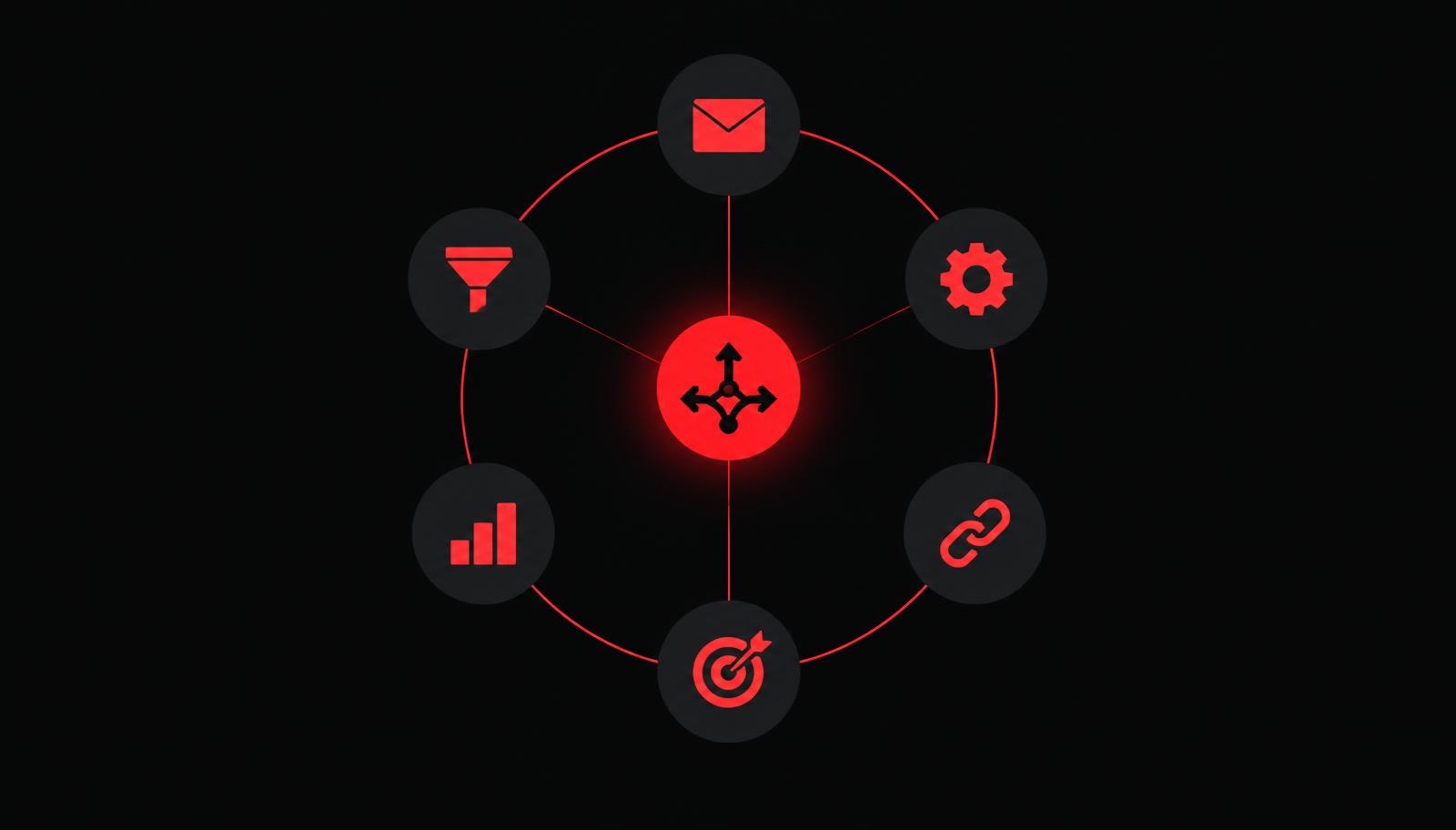
A simple way to see it is as a loop with six jobs. Each job has its own kind of tool.
1. Ad optimization and creative intelligence
This job answers a plain question: which ads and creatives deserve more budget, and which should stop? Tools here read your ad data, score creative, and flag waste. Doing it by hand across Meta and Google gets slow and inconsistent once you run more than a handful of ads.
2. Reporting and analytics
Reporting turns scattered numbers into one view. Automation here means the weekly export and copy-paste routine goes away, and the team looks at the same dashboard every time.
3. Lifecycle email and SMS
Lifecycle messages are the flows that run on their own: welcome series, abandoned cart, post-purchase, win-back. For ecommerce and DTC brands, this is often the most dependable automation to switch on first because it works on traffic you already paid for.
4. CRM and lead routing
For SaaS and lead-based businesses, this job makes sure every lead reaches the right person quickly, with the right context, and that nothing sits unanswered.
5. Workflow automation
Workflow tools connect the other tools. They pass data from a form to a CRM, from a new order to a spreadsheet, or from an alert to a team chat, without anyone copying it over.
6. The decision layer
The first five jobs execute. The sixth job decides. It looks across channels and says where to move spend, which creative to scale, and what to fix first. This is where many teams are still manual, and it is where we think the most value sits.
Why "more tools" is not the goal
Automation adds value only when each step is tied to a result you can measure. A team that buys six tools and has no clear process just creates more things to maintain. The best stacks are small, connected, and built around one or two revenue goals. For a closer look at the hours this saves, see how marketing automation saves small teams 20 hours a week.
The best growth marketing automation tools at a glance
Here is the short answer, grouped by job. The "Best for" column is our opinion. The last column is honest about how we know each tool, because a list is more useful when you can tell hands-on advice from reading.
| Job | Tool | Best for | How we know it |
|---|---|---|---|
| Email and SMS lifecycle | Klaviyo | Ecommerce and DTC brands that want flows built on store data | Used hands-on |
| Email and light CRM | ActiveCampaign | Small teams that want email automation with simple CRM features | Used hands-on |
| Simple email | Mailchimp | Basic newsletters and simple automations | Used hands-on |
| CRM and marketing | HubSpot | SaaS and lead-based teams that want one connected system | Used hands-on |
| Workflow automation | Zapier | Fast no-code connections between apps | Used hands-on |
| Workflow automation | Make | Multi-step visual workflows with more control | Used hands-on |
| Workflow automation | n8n | Technical teams that want to self-host | Read about only |
| Analytics | GA4 | Baseline traffic and conversion measurement | Connected to Predoxa |
| Product analytics | Mixpanel, Amplitude | SaaS teams that track in-product events | Read about only |
| Reporting | Looker, Tableau | Teams that need custom business intelligence | Not reviewed by us |
| Decision layer | Predoxa | Ecommerce and SaaS brands that run paid ads and want AI plus human guidance on what to do next | Built by us, so read this row with that in mind |
If you only remember one thing from this table: pick one tool per job, connect them, and add a decision layer so the numbers turn into action.
How to choose a growth marketing automation tool
Choose a tool by checking six things: whether it fits the job, whether it connects to your stack, whether your team can run it, how its price grows, how good the support is, and whether you can get your data out. Score each tool from 1 to 5 on each point, then compare.
| Criterion | What to check | Red flag |
|---|---|---|
| Fit for the job | Does it do your main job well, not ten jobs badly? | A long feature list with no depth in the one thing you need |
| Integrations | Does it connect to Shopify or your CRM, Meta, Google and GA4 without custom work? | "We have an API" instead of a ready connector |
| Ease of use | Can your team of 2–15 build and fix flows without a developer? | Every change needs an engineer |
| Pricing as you grow | How does the price change with contacts, tasks or seats? | A low starting price that jumps at your next tier |
| Support | Can you reach a person when a flow breaks? | Slow or scripted help |
| Data access | Can you export your data and see how a number was calculated? | Black-box reports you cannot check |
A simple rule for small teams
Start with the job that touches revenue most directly. For an ecommerce brand, that is usually lifecycle email and SMS. For a SaaS or lead-based business, it is lead routing and follow-up. Add the next tool only when the first one runs reliably and someone owns it.
Match the tool to your team size
- Two to five people: prefer tools that work out of the box. Simple beats powerful.
- Five to fifteen people: you can add workflow tools and more reporting, but you need a named owner for every automation.
- Agencies: look for multi-account support and reports you can share with clients.
Check the integrations before the features
A feature you cannot feed with data does nothing. Before you buy, list the sources the tool needs, such as your store, your ad accounts, your analytics and your CRM, and confirm each connection exists and is maintained. Tools with weak integrations or poor support often create more work than they save, which is the opposite of automation.
Best email and SMS lifecycle automation tools
For most ecommerce and DTC brands, lifecycle email and SMS is the first automation worth switching on, because it works on customers you have already paid to acquire. We have used all three tools below hands-on. The notes are our opinions, so test them against your own setup.
Klaviyo: best for ecommerce lifecycle flows
Klaviyo is built around store data. It lets you trigger flows from behavior such as browsing, adding to cart, buying and not buying again. That makes abandoned-cart, post-purchase and win-back flows straightforward to set up and to segment.
- Best for: Shopify and other ecommerce brands that want email and SMS in one place.
- Watch out for: cost growing as your list grows, and flows that are built once and never reviewed.
- Price check: on 2026-11-03, Klaviyo's pricing page showed a free plan with up to 250 active profiles and 500 emails a month. We could not read paid prices from the page, so check it for your list size.
ActiveCampaign: best for email plus light CRM
ActiveCampaign combines email automation with simple contact management and deal tracking. It suits small teams that sell services or software and want one tool for nurture and follow-up, without moving to a full CRM.
- Best for: small SaaS, service and course businesses that nurture leads by email.
- Watch out for: automations that grow into a tangle if nobody documents them.
- Our take: it is more flexible than a basic email tool, but it rewards teams that plan their automations on paper first.
Mailchimp: best for simple needs
Mailchimp is familiar and quick to start. For newsletters and a few simple automations, it can be enough, especially for small lists and teams with no time to learn something heavier.
- Best for: early-stage brands and simple email programs.
- Watch out for: outgrowing it once you need behavior-based flows driven by store data.
- Our take: we would not build a complex lifecycle program here if you run an ecommerce store at scale.
Which one should you pick?
If you run an ecommerce store, start with Klaviyo. If you sell software or services and your main goal is nurturing leads, look at ActiveCampaign or HubSpot. If your needs are simple and your list is small, Mailchimp is a reasonable place to begin. Whichever you choose, build the five flows that matter first: welcome, abandoned cart, post-purchase, replenishment or upsell, and win-back. Our e-commerce growth playbook covers these flows in more depth, and Predoxa's lifecycle marketing page shows how we approach them.
Best CRM and lead routing tools for growth teams
A CRM is where leads and customers live, so lead routing and follow-up automation usually start here. For most growth teams, HubSpot is the easiest place to begin, and enterprise platforms are rarely needed until you are at real scale.
HubSpot: best all-in-one CRM and marketing platform
HubSpot joins a CRM, forms, email, landing pages and reporting in one system. For SaaS and lead-based teams, that means a form fill can create a contact, assign an owner, start a nurture sequence and alert sales, all inside one tool. We have used it hands-on and like how quickly a small team can get a connected lead process running.
- Best for: SaaS and lead-based teams that want one connected system.
- Watch out for: price steps as you move up plans, and onboarding fees on the higher tiers.
- Price check: HubSpot's own pricing guide, updated 09/14/26 and read on 2026-11-03, lists a free plan, a Starter plan from $9 per seat per month when billed annually, Professional from $800 per month billed annually (which includes three seats and a $3,000 one-time onboarding fee), and Enterprise from $3,600 per month (with a $7,000 one-time onboarding fee). That same page gives two different monthly Starter prices in different places, so confirm the current figure on HubSpot's pricing page before you budget.
How lead routing automation works
Good lead routing is simple. A lead arrives, the tool checks a few rules, and it assigns the lead to the right person within minutes. Typical rules include:
- the lead's company size or region,
- the product or plan they asked about,
- the source, such as a paid ad or a demo request form.
The point is speed and consistency. A lead that waits a day for a reply is often lost, and a routing rule never forgets to check.
Salesforce Marketing Cloud: usually overkill for small teams
Enterprise platforms such as Salesforce Marketing Cloud are powerful, but they are built for large organizations with dedicated admins. We have not used it hands-on, so this is a general view, not a review: for a team of two to fifteen people, the setup effort and cost are likely to be more than you need. Start with a lighter tool and move up when your volume and your team justify it.
Best workflow automation tools to connect your stack
Workflow tools are the glue. They move data between the tools you already use so that nobody has to copy it by hand. The three below cover most teams, from non-technical marketers to engineers. For a wider view beyond marketing, see our guide to the best automation tools for business.
Zapier: best for speed and simplicity
Zapier is the easiest way to connect two apps. You pick a trigger, pick an action, and it runs. It is a good fit for simple handoffs, such as sending a new form lead to your CRM and posting an alert in team chat. We have used it hands-on.
- Best for: non-technical teams and quick, simple automations.
- Watch out for: costs that grow with the number of tasks you run, and long chains that are hard to debug.
Make: best for multi-step workflows with more control
Make uses a visual canvas, which makes it easier to see branches, filters and loops in a longer workflow. It suits teams that have outgrown simple two-step connections. We have used it hands-on.
- Best for: marketers and operators who are comfortable thinking in flows, and who need more control than a simple trigger and action.
- Watch out for: a learning curve, and scenarios that become hard to read if nobody keeps them tidy.
- Price check: on 2026-11-03, Make's pricing help page said the Free plan includes 1,000 credits a month. The page did not list paid prices, so check the pricing page for current plans.
n8n: best for technical teams that want to self-host
n8n is a workflow tool that technical teams can host themselves. We have only read about it and have not used it hands-on, so we do not review it here. It is worth a look if you have a developer who wants control over where the automation runs and how data is handled.
Zapier vs Make: a quick rule
- Choose Zapier if your team is non-technical and your workflows are short.
- Choose Make if your workflows branch, repeat, or need data cleaned between steps.
- Consider n8n if you have engineering help and want to host it yourself.
What to automate with these tools first
In our experience, the best first workflows are the dull ones: moving leads from forms to your CRM, sending a daily or weekly report to the team, and alerting someone when a number crosses a line. They save hours, they are low risk, and they teach your team how automation behaves before you rely on it for something important.
Best analytics and reporting tools
Analytics tells you what happened, and reporting puts it in front of the right people on a schedule. Automation helps most in the second part: the weekly export, paste and screenshot routine is exactly the kind of repetitive work a team should stop doing by hand.
GA4: the baseline for traffic and conversion tracking
Google Analytics 4 is the standard starting point for measuring sessions, conversions and revenue by channel. Most stacks include it, and Predoxa connects to it. We treat it as the baseline, not a complete answer, because it does not tell you which ad creative to scale or what to do next.
Mixpanel and Amplitude: for in-product events
Mixpanel and Amplitude track what users do inside a product, such as which features they use and where they drop off. They are most relevant to SaaS teams that care about activation and retention. We have only read about them and have not used them hands-on, so we do not rank them here.
Looker and Tableau: for custom business intelligence
Looker and Tableau are business intelligence tools that let a team build custom dashboards across many data sources. They are flexible, but they usually need someone with data skills to set up and maintain. We have not reviewed them, so treat them as options to explore if you have analyst support.
Predoxa's reporting: one view across channels
Predoxa's Analytics Dashboard gives a unified, multi-channel view of results, and its Ask Doxa assistant lets you ask questions about your data in plain language. Because Predoxa connects Meta Ads, Google Ads, Shopify and GA4, the aim is to replace the manual weekly export with one place to look. You can see how it is described on the Predoxa site.
An example of reporting automation
The Gooseberry team describes building reporting pipelines for ecommerce clients that pull creative performance from Meta, Google, Shopify and GA4 into one workspace, replacing manual weekly exports with an at-a-glance view. We do not name a client or quote a time saved here, because we do not have a measured figure to share.
What good automated reporting looks like
- One agreed set of numbers, with each metric defined in plain words.
- A report that arrives on a schedule, so nobody has to remember to run it.
- A clear "so what" line at the top, not just charts.
- A way to drill down when something looks wrong.
The last point matters most. A dashboard that shows a problem but gives no next step is information, not decision support.
Ad optimization and the decision layer: where Predoxa fits
Predoxa is the one tool in this guide that we build, so read this section as a description from the maker, not a neutral review. We describe it as a decision layer. It does not replace your email tool, your CRM or your workflow tool. It sits on top of your ad and store data and helps you decide what to do next.
What Predoxa does
Predoxa is a revenue intelligence platform that combines AI tools with human strategists and media buyers. It connects Meta Ads, Google Ads, Shopify and GA4. According to the Gooseberry team, the Growth Marketing offer brings campaign intelligence, performance analytics, conversion optimization, media buying, retention and lifecycle marketing into one system, with senior human operators involved. You can read more on the Growth Marketing page. We could not open that page in full when writing this guide, so this summary comes from the team.
How it works, in four steps
- Connect your accounts. Link your ad platforms, store and analytics.
- AI agents flag wins, leaks and opportunities. The system looks across your data and points out what is working and what is wasting money.
- Get prioritized recommendations with human support. You receive a ranked list of actions, not a pile of charts, and people help you carry them out.
- Shift spend and iterate creative. You move budget toward winners and refresh weak creative.
Creative Intelligence: score every ad
Creative Intelligence scores each ad creative on five signals: Hook, Hold, Click, Engagement and Profit, using the PREDOXA decision engine. Predoxa does not publish its scoring formulas, so we do not describe them here. What matters for a growth team is the habit it supports: judge creative on profit, not only on ROAS.
Two reports that turn scores into action
- Top Spend Creatives: shows where budget is concentrated and flags waste, so media buyers can reallocate spend.
- Top Performing Creatives: shows winners by profit, so creative strategists can decide what to scale and what to iterate on.
We could not open these report pages, so these descriptions come from the Gooseberry team.
Ask Doxa: questions in plain language
Ask Doxa is Predoxa's AI assistant. Instead of building a new report each time, you ask a question about your data and get an answer. It is the quickest way for a busy founder or marketer to check a number without opening five tabs.
Who it is for, and who it is not for
Predoxa is built for ecommerce and SaaS brands that run paid ads. Predoxa's own site speaks to founder-led Shopify and DTC brands spending roughly $5k to $150k or more per month on ads. If you do not run paid ads, or your spend is very small, a lifecycle email tool and a few workflows will likely do more for you first. That is our honest view.
Proof from Predoxa client case studies
Tools matter less than what they help a brand achieve. Predoxa's case studies show the kind of results the platform is built for. These are results reported by Predoxa, and we have not audited them independently.
| Client | What the case study reports | How we checked it |
|---|---|---|
| Prime Streetwear NY | ROAS moved from 4.67 to 8.17, an increase of about 75%. The starting picture included weak retargeting and repeat-purchase triggers. | Read on the Predoxa case study page. The page does not isolate which single change caused the result. |
| HQ Energy | 557 qualified solar leads | Figure supplied by the Gooseberry team as a public case study. We could not open the page to confirm it. |
| Glow & Smile | Campaign restructuring and scalable growth | Described by the Gooseberry team. No figures quoted here. |
| BuyXot Energy | Improved ad performance, content production and revenue growth | Described by the Gooseberry team. No figures quoted here. |
What the Prime Streetwear NY case shows
The Prime Streetwear NY story is a good example of why the full loop matters. The case describes weak retargeting and repeat-purchase triggers as part of the starting picture. Those are lifecycle and retention gaps, not only ad problems. That is why we do not treat ad optimization and lifecycle automation as separate topics.
How to read case studies like these
A vendor's case study is a starting point, not proof that you will get the same result. Look at the brand's size, the time period, what else changed, and whether the page explains how the result was measured. We would ask the same questions of any tool in this guide.
Pricing snapshot for growth marketing automation tools
Prices in this category change often and depend on list size, task volume and seats, so we quote only what we could read on a vendor's page, and we date it. Where we could not read a price, the table says so and links to the vendor's pricing page. Everything below was checked on 2026-11-03.
| Tool | What we could confirm | How the price scales (general pattern) | Pricing page |
|---|---|---|---|
| Klaviyo | Free plan: up to 250 active profiles, 500 emails a month. Paid prices not readable on the page. | Usually by the number of profiles | Klaviyo pricing |
| ActiveCampaign | Not confirmed by us | Usually by contacts and plan level | ActiveCampaign pricing |
| Mailchimp | Not confirmed by us | Usually by contacts and plan level | Mailchimp pricing |
| HubSpot | Starter from $9 per seat per month (annual); Professional from $800 per month (annual) with a $3,000 one-time onboarding fee; Enterprise from $3,600 per month with a $7,000 one-time fee (HubSpot's guide, updated 09/14/26) | By plan, seats and marketing contacts | HubSpot pricing |
| Zapier | Not confirmed by us | Usually by the number of tasks | Zapier pricing |
| Make | Free plan: 1,000 credits a month. Paid prices not shown on the page we read. | By credits used | Make pricing |
| Predoxa | Pricing is on the Predoxa site | See the site | Predoxa |
How to budget without guessing
- Estimate your volume first: the number of contacts, the number of automated tasks per month, and the number of people who need access.
- Check the next tier up: a low entry price can jump when you pass a limit.
- Add one-time costs: some platforms charge onboarding fees on their higher plans, as HubSpot's page shows.
- Count your own time: a cheap tool that takes ten hours a week to maintain is not cheap.
If you want a specific number for your setup, ask each vendor for a quote based on your real volumes, and compare those quotes, not the headline price.
Our view: how to automate growth marketing without making a mess
These are Gooseberry's opinions, not industry rules. We share them so you can test them against your own situation.
The most common mistake: automating before the strategy is clear
The mistake we see most is buying tools to fix a process problem. The tool then makes the mess happen faster. If nobody can say who owns a lead, which flow matters most, or which number defines success, automation will only repeat the confusion at higher speed. Fix the process first, then automate it.
Buy the commodity, build only what makes you different
Email, CRM and basic workflow automation are solved problems, so buy them. Build only where you have a real edge. For us, that is the creative intelligence layer inside Predoxa. The rule we use is simple: if it is not your core advantage, buy it.
This is also where Gooseberry's Automation service fits. It is described on our site as "systems that handle the repetitive work so your team handles the decisions." Gooseberry builds custom automations for clients, such as lifecycle flows, reporting pipelines and lead routing.
What to automate first
| Automate first | Keep human |
|---|---|
| Reporting | Strategy |
| Lead routing | Creative direction |
| Creative scoring | Complex decisions |
| Repetitive handoffs between tools | Client communication |
The left column is repetitive, rule-based and easy to check. The right column needs judgment, taste and trust, and that is where people add the most value.
AI that promises everything
We are cautious about tools that claim "AI does everything" and then deliver shallow insights. Good AI in marketing should show its reasoning, work on your real data, and leave the final call to a person. That is why Predoxa pairs AI agents with human experts.
Where we might be wrong
All-in-one platforms can be the better choice for very small teams, because one tool means one login and one bill. And if your volume is high, a custom build can pay back faster than we assume. The right call depends on your team, your budget and how fast your needs change.
Tools and claims to be careful with
Not every tool that looks impressive will help your team. Be careful with three kinds of tools, and with any claim that you cannot check.
1. Tools that promise "AI everything"
If a tool says AI will run your marketing, ask to see a real example on real data. Shallow insights, such as "your conversion rate dropped," tell you nothing you could not see yourself. Useful AI explains why and suggests what to do.
2. Enterprise platforms for small teams
Large platforms are built for large organizations with dedicated admins. For a team of two to fifteen, the setup time and cost often outweigh the benefit. Match the tool to the team you have today.
3. Tools with weak integrations or thin support
A tool that does not connect cleanly to your store, ad accounts or CRM creates manual work, which is the opposite of automation. Weak support makes it worse when a flow breaks on a busy sales day.
Questions to ask any vendor, including us
- Which of my tools does this connect to without custom work?
- How is the price calculated, and what does it look like at twice my current volume?
- Can I export my data and see how each number is calculated?
- What result did a customer like me see, over what time period, and how was it measured?
- Who do I contact when something breaks?
A good vendor answers these plainly. If the answers are vague, treat that as information.
How to set up your growth marketing automation stack, step by step
Set up your stack in dependency order: goal, tracking, lifecycle, lead handling, connections, reporting, and then the decision layer. Each step depends on the one before it. The order below is our recommendation, based on general practice, and each step notes what breaks if you skip it.
- Pick one revenue goal and one number. For example, repeat purchase rate for an ecommerce brand, or qualified demos for a SaaS team. What breaks if you skip it: you automate activity, not results, and cannot tell if anything worked.
- Fix your tracking and data. Check that your store, ad accounts and GA4 report the same orders and revenue. What breaks if you skip it: every later tool works from wrong numbers, so automation scales the error.
- Switch on lifecycle email and SMS. Build welcome, abandoned cart, post-purchase and win-back flows in a tool such as Klaviyo. What breaks if you skip it: you keep paying for traffic that never comes back to buy again.
- Set up CRM and lead routing. Make sure each lead has an owner and a response time. What breaks if you skip it: leads wait, and paid traffic goes to waste.
- Connect the stack with workflow tools. Use Zapier or Make for handoffs, alerts and data movement. What breaks if you skip it: people keep copying data by hand, and errors creep in.
- Automate your reporting. Send one agreed report on a schedule. What breaks if you skip it: the team argues about numbers instead of acting on them.
- Add the decision layer. Use a tool such as Predoxa to score creative, find waste and prioritize what to do next. What breaks if you skip it: you have clean data and running automations, but still guess where to put the next dollar.
- Review monthly. Check each automation against your goal, and retire anything nobody uses. What breaks if you skip it: old automations keep running after they stop making sense.
Keep a simple automation register
For each automation, write down its owner, its purpose, the number it should move, and the date you last reviewed it. A shared spreadsheet is enough. Teams that skip this often end up afraid to touch their own flows.
Frequently asked questions about growth marketing automation tools
What are the best tools for growth marketing automation?
The best tools depend on the job. Our picks are Klaviyo or ActiveCampaign for email and SMS, HubSpot for CRM and lead routing, Zapier or Make for workflows, GA4 for analytics, and Predoxa as a decision layer for paid ads. Most teams need one tool per job, not all of them at once.
What is growth marketing automation?
It is the use of software to run the repeatable parts of growth work, such as lifecycle messages, lead routing, reporting and ad analysis, so your team can focus on strategy and creative.
What is the best email automation tool for ecommerce?
For most ecommerce and DTC brands, we recommend starting with Klaviyo because it builds flows from store data. Mailchimp can work for very simple needs.
Should I use Zapier or Make?
Choose Zapier for short, simple connections and non-technical teams. Choose Make when your workflows branch, repeat or need more control. Technical teams may also look at n8n.
Do I need a CRM for growth marketing?
If you sell through leads, demos or sales calls, yes. If you sell mostly through an online store, your store and email tool may be enough at first.
What should I automate first?
Start with reporting, lead routing, creative scoring and repetitive handoffs between tools. Keep strategy, creative direction, complex decisions and client communication with people.
Is Predoxa an automation tool?
We describe it as a decision layer, not another automation tool. It connects your ad and store data, uses AI agents and human experts to find wins and leaks, and recommends what to do next. It works alongside your email, CRM and workflow tools.
How much do growth marketing automation tools cost?
It depends on list size, task volume and seats. See the pricing snapshot above for the figures we could confirm on 2026-11-03, and check each vendor's pricing page before you budget.
Can a small team use these tools?
Yes. Start with one job, one tool and one owner. Small teams do best with tools that work out of the box and that they can fix without a developer.
What is the biggest mistake with marketing automation?
Automating before the strategy is clear. A tool cannot fix an unclear process. It will only run the confusion faster, so fix the process first.
When should I build custom automation instead of buying a tool?
Buy tools for common needs such as email, CRM and basic workflows. Build custom only when the automation is part of your core advantage or when no tool can do what you need.
Your next step
Good automation starts with one goal, clean data and a small stack. If you already run paid ads and want to know where your next dollar should go, see how the decision layer works on Predoxa's Growth Marketing page.
If you would rather talk about building a custom automation, such as a lifecycle flow, a reporting pipeline or lead routing, you can contact the Gooseberry team.
/ Gooseberry
"We don't build tools to impress. We build tools to perform."
Explore Automation Products