
INDUSTRY INSIGHTS / 16 MIN READ
What Are the Leading Tools Used in Product Engineering Workflows?
/ Quick Answer
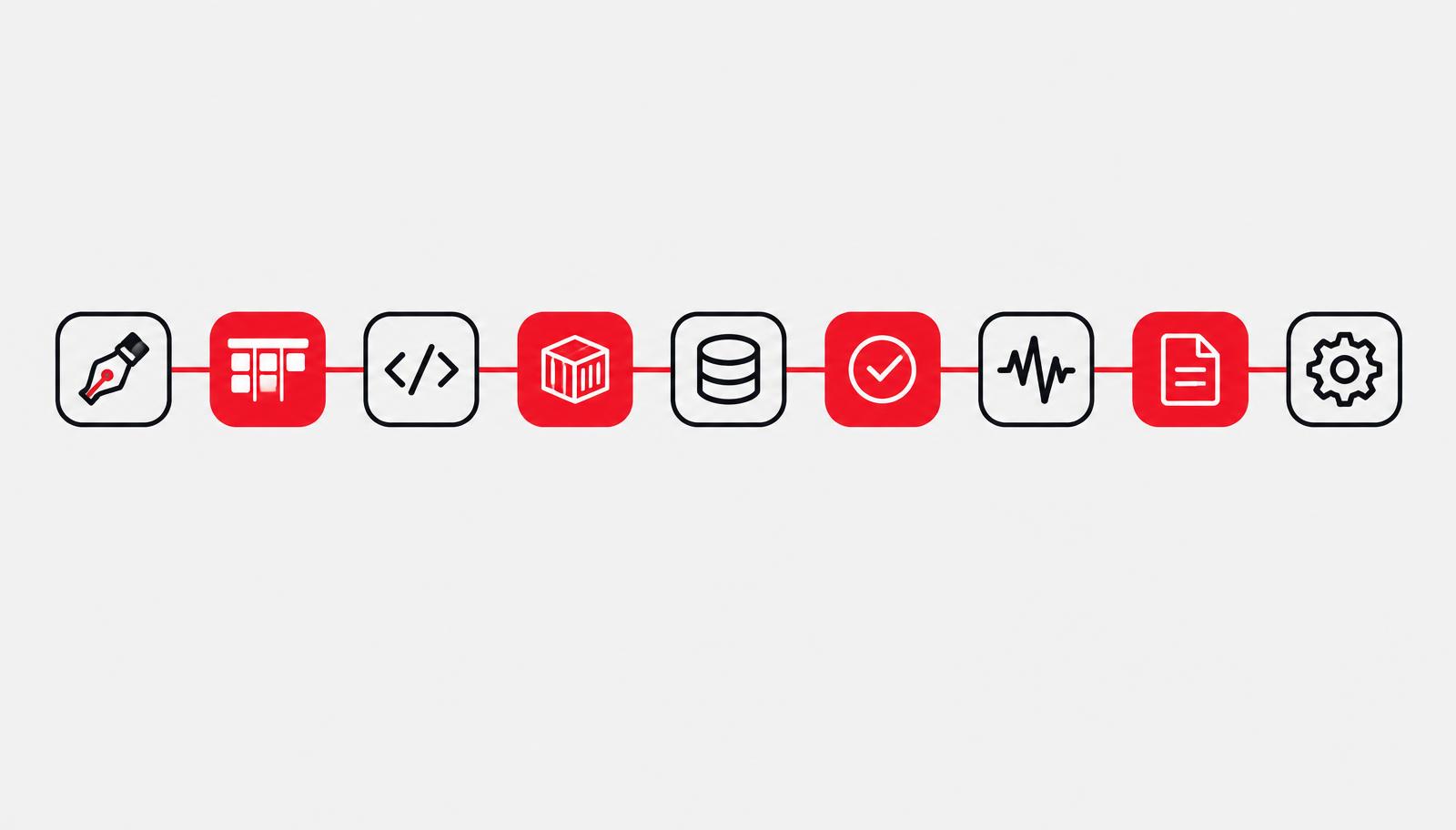
The leading product engineering tools follow the stages of the work: Figma for design, Jira or ClickUp for planning, GitHub for code and review, Docker with AWS, GCP or Vercel for deployment, PostgreSQL for data, Playwright for QA, Sentry or Datadog for monitoring, Notion or Confluence for docs, an AI coding assistant, and Zapier, Make or n8n for automation. The best choice depends on team size, budget, integrations and client requirements.
The leading tools in product engineering workflows follow the stages of the work: Figma for design, Jira or ClickUp for planning, GitHub for code hosting and review, Docker with a cloud platform such as AWS, GCP or Vercel for build and deployment, PostgreSQL for data, a test framework such as Playwright for QA, an observability tool such as Sentry or Datadog for production, Notion or Confluence for documentation, an AI coding assistant such as GitHub Copilot, Cursor or Claude Code, and Zapier, Make or n8n to automate the repetitive hand-offs between them. No single product wins every stage, and the best choice depends on team size, budget, integrations and client requirements.
This guide walks through nine stages, names the tools that lead each one, and says when each is the right call and when it is not. We build software for a living: Gooseberry's Product Engineering service builds the front end and back end together, as durable interfaces on top of dependable services, and its Automation service exists so that systems handle the repetitive work and your team handles the decisions. The tools below are the category leaders and common choices. They are a guide to what is widely used, not an audit of any one company's stack, and we say so wherever the distinction matters. New to the discipline? Start with What Is Product Engineering?
How to choose: one rule and a nine-stage map
Choose tools by team size, then budget, then integration needs, then client requirements, in that order. Team size comes first because it decides how much process and tooling you can maintain. A three-person team that adopts the stack of a fifty-person team spends its time administering tools instead of shipping.
| Team profile | Favour | Watch out for |
|---|---|---|
| Small team, tight budget | All-in-one or low-code tools, few of them | Outgrowing a tool with no export path |
| Growing team, several products | A core suite plus a few best-of-breed tools that integrate with it | Stack sprawl and duplicate data |
| Larger team, complex or regulated work | Best-of-breed tools connected through integrations and automation | Single-vendor lock-in and unmanaged access |
Before you adopt any tool, ask four questions: does it integrate with what we already use, what does it cost per seat as the team grows, can we export our data if we leave, and does it support the access controls our clients expect?
The table below is the map for the rest of the guide. Each leader is a common choice, and the last column is our default for a small team (our opinion, not a survey result). Figures from the Stack Overflow surveys back GitHub, Jira, GitLab, Docker, PostgreSQL, AWS and the AI coding tools; the other tools are included on the strength of widespread industry use, and we do not attach usage numbers to them.
| Stage | Leading tools | Small-team default |
|---|---|---|
| 1. Discovery and design | Figma | Figma |
| 2. Planning | Jira, ClickUp, Linear | ClickUp or Linear |
| 3. Code and review | GitHub, GitLab | GitHub |
| 4. Build, deploy and data | Docker, GitHub Actions, AWS, GCP, Vercel, PostgreSQL | Vercel for the front end, a managed cloud for the back end, PostgreSQL |
| 5. Testing and QA | Playwright, Cypress, Jest | Jest plus Playwright |
| 6. Observability | Sentry, Datadog, Grafana | Sentry first |
| 7. Documentation | Notion, Confluence | Notion |
| 8. AI-assisted development | GitHub Copilot, Cursor, Claude Code; Lovable, Bolt, v0 for prototypes | One assistant, with review on every change |
| 9. Workflow automation | Zapier, Make, n8n | Zapier or Make first, n8n if you need self-hosting |
The tools named here are not a verified audit of Gooseberry's own internal stack. Where we describe how a tool is used, we describe common practice and say so.
Stages 1 and 2: Discovery, design and planning tools
Design and planning tools decide whether engineers build the right thing. Get these two wrong and the best CI/CD pipeline simply ships the wrong product faster.
Stage 1: Discovery and design
Figma is the default for interface design, prototyping and design-to-engineering hand-off. Its value is less the drawing tools than the shared source of truth: one library of components and design variables that designers and developers both work from. That replaces the older pattern of exporting screenshots and writing specs by hand, where the build slowly drifts away from the design.
Discovery also needs evidence about real usage. Product analytics tools such as GA4, Mixpanel and Amplitude show where users succeed or drop off, and that evidence should shape the backlog before any design work starts. Teams that skip this stage tend to design from opinion.
Our view: build a small design system early, even a dozen reusable components and a set of colour and spacing variables. It costs a few days and removes a large share of the small decisions that otherwise slow every sprint.
When not to use it: AI app builders such as Lovable, Bolt and v0 can produce a working prototype quickly, which suits an early idea test. They do not replace design intent. Use them to test a concept, then design the production version deliberately.
Stage 2: Planning and project management
Three tools lead here. Jira appeared in 46% of developers' answers in Stack Overflow's 2025 survey, the second most popular collaboration tool after GitHub. ClickUp and Linear are common alternatives, and we do not attach survey numbers to them.
| Tool | Typical strength | Typical trade-off | Suits |
|---|---|---|---|
| Jira | Configurable workflows, a large integration ecosystem, enterprise controls | Setup and upkeep overhead | Larger teams with complex process |
| ClickUp | Tasks, docs and views in one tool, usable by engineering and non-engineering teams | A wide feature set invites sprawl | Teams mixing engineering and marketing work |
| Linear | Fast, opinionated flow built around engineering cycles | Less suited to heavy custom workflows or non-engineering work | Product-led engineering teams |
The tool matters less than three habits. Keep one backlog, so there is a single place where work lives. Link every pull request to a ticket, so code and intent stay connected (all three tools integrate with GitHub). And limit work in progress, because a long board of half-finished items hides blockers.
This choice has an extra dimension for teams that run marketing and engineering together. Gooseberry's About page describes treating marketing and engineering as one discipline, and a team structured that way needs a planning tool both sides can use, or a clean integration between two. If product work and campaign work live in separate systems with no link, the hand-offs between them are where delays hide.
What breaks if you skip it. Without a single backlog, engineers build from chat messages, priorities change silently, and nobody can say what shipped last month or why.
Stages 3 and 4: Code, review, build, deployment and data
This is the core of the workflow, and it is where the usage data is strongest. The aim is a path from a developer's change to production that is short, reviewed and repeatable.
Stage 3: Code hosting and review
GitHub is the default. It was the most popular code collaboration and documentation tool in Stack Overflow's 2025 survey at 81%, with GitLab at 36%. Both give you pull requests, review, issue tracking and built-in CI/CD, so the real choice is the ecosystem you already live in. Choose GitLab if you want one platform that also covers the pipeline and self-hosting in a single product, and GitHub if you want the largest ecosystem of integrations and contributors.
The tool is the easy part. The habits that matter are protected main branches, at least one reviewer on every change, small pull requests and a short list of code owners for sensitive areas. A review rule that is easy to bypass will be bypassed under deadline pressure.
Stage 4: Build, deploy and data
| Layer | Leading tools | Use it when | Hold back when |
|---|---|---|---|
| Containers | Docker (71% in the 2025 survey, up 17 points) | You want the same environment on a laptop, in CI and in production | The app is a single static site |
| CI/CD | GitHub Actions, GitLab CI | You already host code on that platform | Pipelines have grown so complex nobody can change them |
| Front-end hosting | Vercel | You ship a React or Next.js front end and want fast preview deployments | You need tight control over the network and runtime |
| Back-end cloud | AWS (43% in the 2025 survey), GCP | You need managed databases, queues and scaling | A small team lacks someone to own cloud cost and access |
| Database | PostgreSQL | Almost any application with relational data | Your data is genuinely non-relational at large scale |
PostgreSQL ranked as the top database in the 2025 survey for the third year in a row, and 66% of developers who had used it said they wanted to keep using it. For languages and frameworks, JavaScript leads in the 2026 survey at 62%, with SQL, HTML/CSS and Python each at 58%. That is why React and Next.js on the front end, and Node.js or Python on the back end, are common defaults for modern web products. The right back-end choice depends on your team's skills more than on the benchmark.
Our view on over-engineering. Do not adopt heavy infrastructure early. Kubernetes for a three-person team slows you down more than it protects you. Start with managed services, one deploy pipeline and one database, then add complexity when a measured problem demands it.
Our view on lock-in. Every managed service trades speed for dependence. That trade is often right, but write down the exit plan before you commit: how you would export the data and what it would take to move.
What breaks if you skip it. Manual deploys and unreviewed merges mean releases depend on one person's memory. The first incident teaches the lesson at the highest possible cost.
Stages 5 and 6: Testing and observability
Testing catches problems before users do, and observability catches the ones that get through. Teams that invest in the first and neglect the second find out about outages from customers.
Stage 5: Testing and QA
A healthy test setup has layers, with many fast tests at the bottom and a few slow, realistic ones at the top.
| Layer | Common tools | What it catches | Run it |
|---|---|---|---|
| Unit and component | Jest (Vitest is a common alternative in Vite projects) | Logic errors in functions and components | On every commit |
| End-to-end | Playwright, Cypress | Broken user journeys across the real interface | On every pull request for the critical paths |
| Manual and exploratory | A checklist and a person | Things automation did not anticipate | Before major releases |
Playwright and Cypress are both widely used for browser testing, and the decision usually comes down to your team's language, debugging preferences and how many browsers you need to cover. Either works. The mistake is writing hundreds of end-to-end tests for every screen, which produces a slow, flaky suite that people learn to ignore.
Our view: test the money path first. Sign-up, login, checkout or payment, and the one workflow your product exists to perform. A short suite that covers those and never flakes is worth more than a large one nobody trusts. Run it in CI so a failing test blocks the merge.
Stage 6: Monitoring and observability
- Sentry is a common first choice for error tracking and performance monitoring in application code. It tells you what broke, for whom and in which release.
- Datadog covers infrastructure, application performance and logs in one commercial platform, which suits teams that want a single place and can budget for it.
- Grafana is a widely used open-source dashboarding option, often paired with metrics systems for teams that prefer to run their own tooling.
Start with Sentry, add uptime checks on the pages that matter, and put alerts on what users feel (errors and latency on key journeys), not on every server metric. Alerts that fire daily and mean nothing train people to ignore the one that matters.
A note on AI here: in the 2026 Stack Overflow survey, developers said they use AI mainly for generating code in familiar areas (67%) and debugging (61%), while only 20% use it for deploying, operating or troubleshooting production systems. That matches what we would advise. Keep a human on the production path until you have strong guardrails.
What breaks if you skip it. Without tests, every change is a gamble and releases slow down as fear grows. Without observability, you cannot tell a bad deploy from a quiet Tuesday.
Stages 7 and 8: Documentation and AI-assisted development
Stage 7: Documentation and collaboration
Notion and Confluence are the common homes for team documentation: product specs, onboarding guides, runbooks and decision records. Notion tends to suit smaller teams that want flexible pages and light structure, and Confluence suits larger organisations already using Jira, since the two connect closely. Pick the one that matches your planning tool and move on.
Where the documents live matters more than which product holds them. Keep technical docs close to the code: a README in each repository, and short architecture decision records that capture why a choice was made. A decision written down in the repository survives staff changes; one recorded in a chat thread does not. Keep runbooks short, so a tired engineer can follow them during an incident.
Stage 8: AI-assisted development
This is the fastest-changing category, and the survey data shows both its reach and its limits.
| Measure | Result | Survey |
|---|---|---|
| Developers using or planning to use AI tools | 84%, up from 76% | 2025 |
| Developers using AI agents | 31% | 2025 |
| Developers who do not trust AI output accuracy | 46%, up from 31% | 2025 |
| Agent users reporting a productivity increase | 69% | 2025 |
| AI-assistant users who use them daily | 73% | 2026 |
| AI users who work in coding agents | 66% | 2026 |
| Use AI mainly for code generation in familiar areas / debugging | 67% / 61% | 2026 |
Adoption is rising while trust is falling, which is the pattern to plan around. In the 2025 survey, Cursor (18%), Claude Code (10%) and Windsurf (5%) were the leading newly added AI-enabled IDEs, and 45% of developers said debugging AI-generated code is time-consuming.
| Tool type | Examples | Best for | Main risk |
|---|---|---|---|
| Inline and chat assistants | GitHub Copilot | Autocomplete, small functions, explanations | Accepting suggestions without reading them |
| AI-first editors and coding agents | Cursor, Claude Code | Multi-file changes, refactors, test writing | Large unreviewed changes |
| AI app builders | Lovable, Bolt, v0 | Fast prototypes and internal tools | Prototype code reaching production unchanged |
Our view. Use AI coding tools, and review everything they produce. They speed up routine work and introduce risk when unchecked. We would hold them to the same standard as a new colleague's pull request: tests required, a human reviewer, and the author accountable for the result. Use AI app builders for rapid prototyping, and use deliberate, reviewed workflows for production code.
Practical guardrails that cost little: never paste secrets or customer data into a prompt, keep the pull request size small enough to review, and run the same CI checks on AI-written code as on any other.
What breaks if you skip the guardrails? Review becomes the bottleneck, then gets skipped, and defects arrive faster than your tests can catch them.
Stage 9: Workflow automation, from task bots to decision engines
Automation connects the other eight stages. It handles the repeated hand-offs between tools so people spend their time on decisions. Two kinds exist, and mixing them up leads to the wrong purchase. For a wider comparison, see our guide to the best automation tools for business.
Task automation: Zapier, Make and n8n
Zapier is the quickest route to connecting apps without code. Make uses a visual scenario builder that gives more control over branching and data handling. n8n can be self-hosted, which suits teams that want to keep data and workflows on their own infrastructure. We attach no survey numbers to these three; they are named because they are widely used for this job.
| Workflow | Trigger | Action | What it saves |
|---|---|---|---|
| Ticket and code sync | Pull request merged | Move the linked ticket to Done | Manual status updates |
| Deploy notice | Production deploy completes | Post the release summary to the team channel | Status questions after each release |
| Release notes | Tagged release | Draft notes from merged pull requests | Hand-written changelogs |
| Weekly reporting | Schedule | Pull figures from analytics and ad platforms into one report | Copy-and-paste reporting |
| Incident alert | Error rate crosses a threshold | Page the on-call engineer and open a ticket | Slow detection |
These are patterns, not measured results. We do not quote time savings, because they depend entirely on how manual the process was before.
Decision automation: when a task bot is not enough
A task bot moves data according to fixed rules. Some workflows need judgement: which ad creative to scale, where the next dollar of budget should go, which product to push. Rules written in advance cannot make those calls well, because the right answer changes with the data.
That is the gap Predoxa's automation layer is meant for, for ad-spend-driven ecommerce and SaaS teams. Predoxa describes its process in four steps: connect your Meta Ads, Google Ads, Shopify and GA4 accounts, let AI agents ingest the data and flag wins, leaks and opportunities, receive prioritised recommendations with human execution support, then shift spend to top performers and iterate on creative. Its Creative Intelligence module scores ads on Hook, Hold, Click, Engagement and Profit, and its Analytics Dashboard combines multi-channel reporting with the Ask Doxa assistant. Teams that also want to see how they compare with rivals can look at Predoxa's competitor analysis page.
In the Prime Streetwear NY case study, Predoxa AI generated first-draft campaign outlines, ad copy, video script concepts and SEO content briefs based on past winners, and the client's team refined them. That is a marketing example, not an engineering one, but it shows the same split: the machine drafts and flags, the person decides.
Our view. Use Zapier or Make first, because they pay back quickly. Move to n8n when you need self-hosting or more control. Reach for purpose-built decision software only where the workflow is core to revenue and the judgement is repeatable. Build custom automation last.
What breaks if you skip it. Skilled people spend their week copying figures between tools, and the reports they produce are already out of date when they are sent.
Case: why Predoxa was built instead of bought
Predoxa is the clearest example of a build-versus-buy decision in Gooseberry's own history. According to Gooseberry's About page, the company began in 2021 as a virtual office offering marketing and software services. In 2024 it used patterns from its own marketing-service data to start building its own technology, beginning with Predoxa and Doxa AI. The work Predoxa automates is the decision marketing teams otherwise make by hand every week: where the next dollar of ad spend should go, which creative to scale and how to protect margin.
That history shows when building is the right call:
| Question | How it applied |
|---|---|
| Is the problem core to the business? | Yes: allocating ad spend was central to the marketing service Gooseberry already sold. |
| Did generic tools fall short? | Task automation tools move data by fixed rules, while spend allocation needs judgement over changing data. |
| Was the pattern repeatable? | The same questions recurred across clients, so one system could serve many. |
| Could it be built incrementally? | Predoxa and Doxa AI shipped first; three more products followed into development. |
The timeline comes from Gooseberry's published history. The four questions are our framework, and you can apply them to your own build-versus-buy decisions.
What it delivered. The Prime Streetwear NY case study reports revenue growth of 4.2X, conversion rising from 0.9% to 2.7% and Google Ads ROAS improving from 4.67X to 8.17X, with the Predoxa AI generating first drafts that the client's team refined. These are marketing results reported by Predoxa and not independently verified, and they measure the outcome of the work, not the engineering behind it.
The tooling lesson. The point for an engineering team is the sequence. The rule to take from it: use standard tools for commodity needs such as code hosting, tracking and reporting plumbing, and reserve custom software for the one area where your judgement is the product. A common failure runs the other way: teams build custom tools for commodity problems, or stack up point tools for core ones, and end up maintaining both.
Five opinions on tool choice, and what would change them
Tool advice ages quickly, so here are the positions we would defend, with the evidence that would make us change each one.
- Use AI coding assistants, and review everything they write. They speed up routine work, and they add risk when their output goes unchecked. The survey figures point the same way: adoption is high while trust in accuracy is falling. What would change our mind: evidence that unreviewed AI changes ship with fewer defects than reviewed human ones.
- Start with an all-in-one tool, then move to best-of-breed as you scale. A small team gains more from one tool that does adequately than from five that each do well but must be wired together. Split the stack when a specific limit hurts, not before. What would change our mind: a team with a regulated or unusual requirement from day one.
- Buy for commodity needs, build only for core differentiation. Code hosting, ticketing and error tracking are solved problems. Build where your judgement is the product. What would change our mind: a commodity tool whose pricing or lock-in becomes a larger cost than building.
- Keep the stack small. Every extra tool adds logins, integrations, billing and a place for information to go stale. Stack sprawl slows teams more than any single weak tool does. What would change our mind: a measured gap that a new tool closes, with an owner who will maintain it.
- Keep process light for small teams. Use just enough to avoid chaos: one backlog, reviewed pull requests, automated tests on the critical path and a short runbook. Add process in response to real failures. What would change our mind: growth past the point where people can keep the whole system in their heads.
None of these is a law. They are defaults for teams that ship web products with small to mid-sized engineering groups, and the right answer shifts with scale, regulation and risk.
Security and compliance belong in the toolchain, not after it
Every tool in the previous nine stages holds code, customer data or access to production, so security is a property of the whole chain. Gooseberry describes its Security service as risk assessment, data integrity and compliance built into the delivery process rather than added at the end, and the same principle applies when you choose tools.
| Control | What it means in practice | Why it matters |
|---|---|---|
| Multi-factor authentication and single sign-on | Required on code hosting, cloud, planning and automation tools | Most account takeovers start with one reused password |
| Encryption | In transit and at rest, including backups | Limits the damage of a leaked disk or snapshot |
| Audit logging | Who changed what, in code hosting, cloud and admin tools | Lets you answer questions after an incident |
| Secrets management | Keys in a secrets store, never in the repository or a prompt | Leaked keys are a common, avoidable breach |
| Dependency and secret scanning | Automated checks in the pipeline; GitHub and GitLab both offer built-in options | Catches known-vulnerable libraries and committed credentials early |
| Access reviews | A regular check of who still needs access to what | Departed staff and old integrations accumulate access |
Compliance changes the tool shortlist. Regulated or tightly governed work narrows the choices: you need tools that support the access controls and audit trails your clients require. Gooseberry's Adzdrip, for example, is described as compliant ROI growth for medical brands, so it is built to stay within the platform advertising rules that healthcare brands face. If your product handles health, financial or children's data, check the legal requirements for your market before choosing a tool, and take qualified legal advice, because tool vendors' marketing claims are not a substitute.
Automation and AI agents add a new category of risk. An agent that can open tickets, merge code or change ad budgets can also do the wrong thing quickly. Run agents in sandboxes with the least access they need, require human confirmation for any critical action, and keep sensitive data out of what you feed them. This also applies to the task automations in Stage 9: a Zap or n8n workflow with admin credentials is a privileged user.
FAQ: Product engineering tools, answered directly
What are the leading tools used in product engineering workflows?
Figma for design, Jira, ClickUp or Linear for planning, GitHub for code, Docker and a cloud platform for deployment, PostgreSQL for data, Playwright or Cypress for end-to-end tests, Sentry or Datadog for monitoring, Notion or Confluence for docs, an AI coding assistant, and Zapier, Make or n8n for automation.
What is the most popular code collaboration tool?
GitHub. In Stack Overflow's 2025 Developer Survey, 81% of developers used it for code documentation and collaboration, ahead of Jira (46%) and GitLab (36%).
Which database do most teams choose?
PostgreSQL. It ranked as the top database in the 2025 survey for the third year in a row, and 66% of developers who had used it wanted to keep using it.
Should small teams use Jira, ClickUp or Linear?
Choose the one your team will keep current. Jira suits complex processes, ClickUp suits teams that mix engineering and non-engineering work, and Linear suits product-led engineering teams. The habits matter more: one backlog, tickets linked to pull requests, limited work in progress.
Should developers use AI coding assistants?
Yes, with review. In the 2026 survey, 73% of AI-assistant users used them daily, yet 46% of developers in the 2025 survey did not trust AI output accuracy. Require tests and a human reviewer on AI-written changes.
What is the difference between Zapier and a platform like Predoxa?
Zapier, Make and n8n move data between tools using rules you define. A platform like Predoxa makes recommendations from data, such as scoring ad creative or flagging where spend is leaking, with human execution support. Use the first for hand-offs and the second where the judgement is repeatable and tied to revenue.
How many tools should a small team run?
As few as cover the stages you need, roughly one per stage. Each extra tool adds logins, integrations and cost, and stack sprawl slows delivery more than a single weak tool does.
How do I choose between competing tools?
Apply one rule in order: team size, budget, integration needs, then client requirements. Then check data export, per-seat cost as you grow and the access controls your clients expect.
Your next step
Pick the stage in your own workflow that hurts most today, whether that is slow reviews, flaky tests or manual reporting, and fix that one before changing anything else. If you want a team to build the product or the pipeline with you, talk to Gooseberry through its contact page or read about its Product Engineering and Automation services. If your bottleneck is ad-spend decisions, explore Predoxa's automation layer, its competitor analysis page, or book a call.
/ Gooseberry
"We don't build tools to impress. We build tools to perform."
Explore Automation Products